Introduction
When summer drags hot afternoons into the office, we usually think about keeping ourselves cool. But the heat can hit our computers just as hard. Longer days and higher temps don't just make the room stuffy, they can slow down devices, shorten hardware lifespan, and cause sudden downtime.
Computer hardware support isn't just about rushing in to fix something broken. It's also about preventing problems before they cost us a full afternoon or delay an important task. Smart habits during hot months help protect systems and keep everything running smoothly in places like Arlington, Texas, where summer heat settles in early and sticks around.
Keeping Airflow Clear in Hot Desk Areas
Here's something we run into often. A computer tower tucked into a corner underneath a desk, pressed up near a wall, or sitting on the carpet. It looks out of the way, but that's not doing the machine many favors.
Without open space to pull cool air in and push hot air out, heat builds up fast. That trapped warmth can lead to performance drops or even damage over time. The good news is, small fixes make a big difference.
- Raise towers off the carpet using a simple stand or even a solid box
- Keep the area around machines cleared of boxes, bags, or stray power strips
- Adjust desk placement to avoid blocking air vents or pressing machines against walls
If the room has AC vents nearby, make sure they're not blocked off. Moving desks even a few inches away from walls helps systems breathe easier and work better.
Monitoring Internal Temperatures
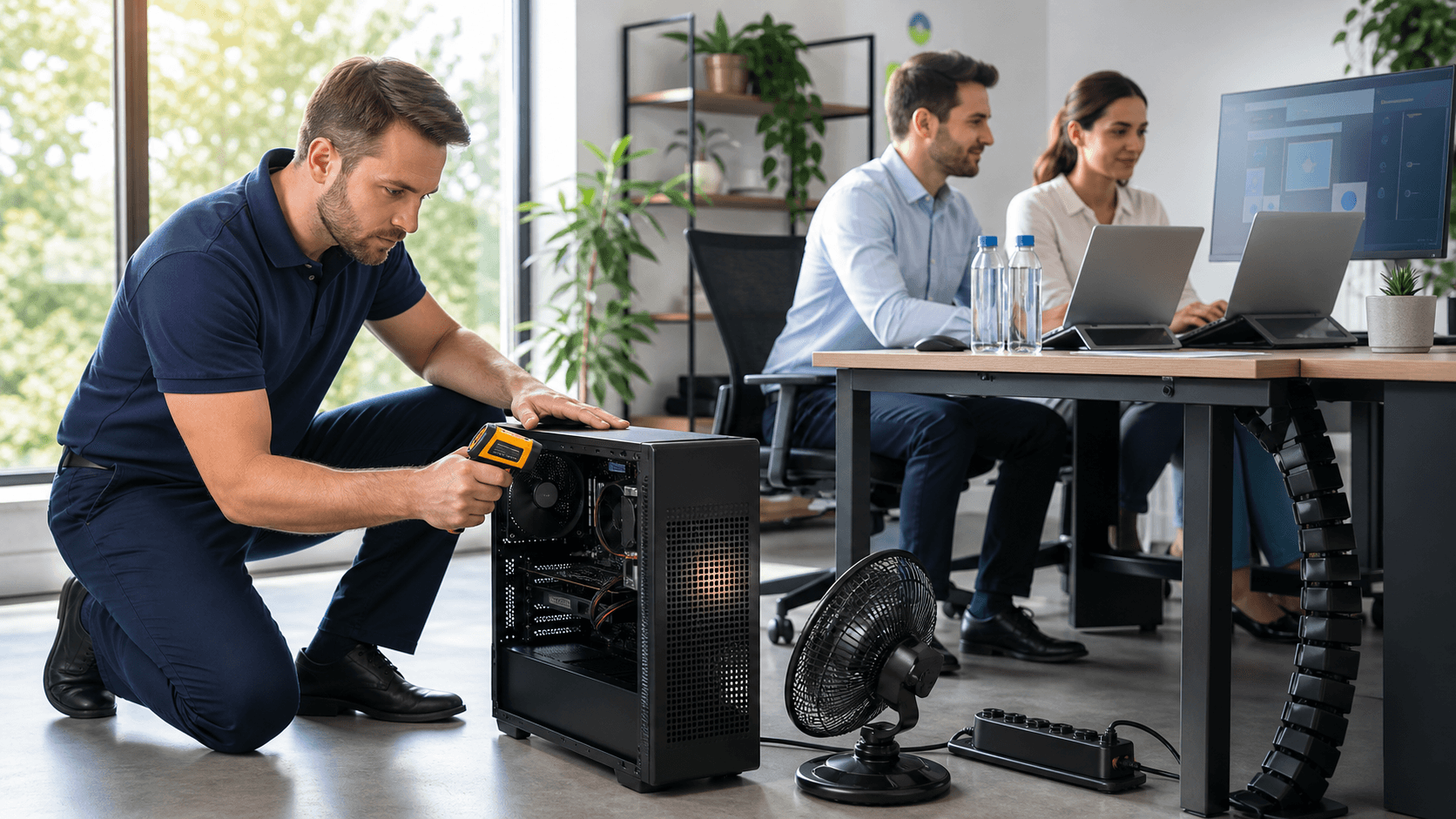
Modern computers are smarter than they look. Most have built-in tools to track internal temperatures. These numbers might seem easy to ignore, but they're worth checking when the weather turns warm.
Paying attention now can help us spot the early signs of overheating before things get serious. We don't need to check temperatures every hour, but taking a peek on warmer days during lunch or after big tasks can give us peace of mind.
One simple habit that keeps machines running cool is keeping the fans clean. Over time, dust starts to build on fan blades and air filters. That dust cuts down airflow and makes fans work harder.
- Use compressed air to clear dust from vents and fans
- Check fans in towers and laptops at least once a month when it's hot
- Listen for growing fan noise, it usually means the system is working harder than normal
Clean fans and careful monitoring let systems handle bigger tasks without getting pushed too far.
Avert Network Services offers proactive hardware cleaning, fan and port checks, and internal temperature monitoring as part of our IT managed services to help Arlington teams protect equipment during heat waves.
Protecting Equipment from Direct Sunlight and Power Surges
Sometimes the problem isn't inside the device. It's sitting right next to it. One common summer oversight is setting laptops or external drives near windows or in sunlit corners. Sunlight can heat device surfaces quickly, leading to slower performance or permanent damage if it happens too often.
Storms can be another issue. In places like Arlington, unpredictable summer storms can lead to short power blips. These quick surges can wipe out unsaved work or strain machines that are already working hard.
We've found that a few easy changes help keep everything protected:
- Keep laptops and backup drives out of direct sunlight, even if it means shifting blinds or rearranging desks
- Plug devices into surge strips, not straight into the wall
- If a storm looks close and we're leaving for the day, powering down machines adds an extra layer of safety
Devices shouldn't have to fight both the heat and the risk of power loss during the same week.
Adjusting Device Workload During Peak Afternoon Temps
Hot machines don't perform at their best. When afternoon sun hits its peak and the office gets warm, devices feel the strain. Running resource-heavy jobs, like backing up large files or editing video, causes machines to work harder, which adds even more heat.
Instead of pushing systems during the hottest part of the day, we shift that strain to earlier in the morning or later in the day when the office is cooler. It's a simple but effective way to protect performance.
- Run system updates and backups first thing in the morning
- Schedule routine checks or heavy data tasks closer to the end of the workday
- Use slower times for tasks like image processing, software installations, or report exports
Spreading out heavy work keeps hardware cooler and working longer without surprise failures.
When to Replace or Reroute Older Machines
Not every computer was built with long, hot summers in mind. Older machines, especially those already struggling with performance or random restarts, can become less reliable in the heat.
We pay close attention to how long systems have been in use and how they're holding up during busy summers. Devices that feel fine in cooler months might start acting up when the temperature goes up.
If an older laptop is still part of the team, it helps to shift lighter tasks its way. Or we might reassign it to office roles where the workload stays light and steady. If we're worried about one going down mid-task, it's probably time to think about moving those jobs to newer hardware that's built to handle more heat without trouble.
Avoiding breakdowns doesn't always mean new gear, it can be as simple as switching up who handles what.
Fewer Breakdowns Start with Prevention
Summer doesn't sneak up on us, but hardware problems can. When we plan around heat, adjust workloads, and keep an eye on airflow, the stress on devices drops. That means fewer unpleasant surprises and more reliable days.
Computer hardware support during hot months is just as much about the way we set up our spaces as it is about the machines themselves. By watching where we work, how we schedule tasks, and the shape our systems are in, we keep everything running calm and cool, no matter what the weather looks like outside.
At Avert Network Services, we understand that hardware issues often begin with subtle warning signs before turning into major disruptions. That's why we take Arlington, Texas, weather into account when monitoring airflow, device placement, and heat-intensive tasks. Practicing good habits and having reliable support can help extend the life of your equipment, especially during the peak summer months. Whether you're noticing slowdowns or simply want help staying on top of updates and routine maintenance, our computer hardware support is here to keep your business running smoothly. Let us know if you'd like our experts to take a closer look.